# Installing AmneziaVPS on iOS for Residents of Russia
Unfortunately, residents of Russia cannot install the AmneziaVPS app from the AppStore due to regional restrictions imposed by Roskomnadzor.
If you do not reside in Russia, you can download the app directly from the AppStore.
For Russian residents, we recommend changing your device's region, as the AppStore restrictions are region-based. Please read all warnings carefully, as this method may not suit all users.
If you need paid apps in the AppStore but lack a payment method (e.g., a bank card) from your chosen region, you can create an additional Apple ID and use it alongside your primary account.
How to Change the Region of Your Existing Account?
Step 1
Before changing your region, ensure your App Store balance is zero.
- Open the AppStore. If you see a balance displayed, you have funds remaining.
- If your balance is not zero, you cannot change the region.
- If the balance is less than the cost of any app, Apple advises contacting their support team for assistance.
Step 2
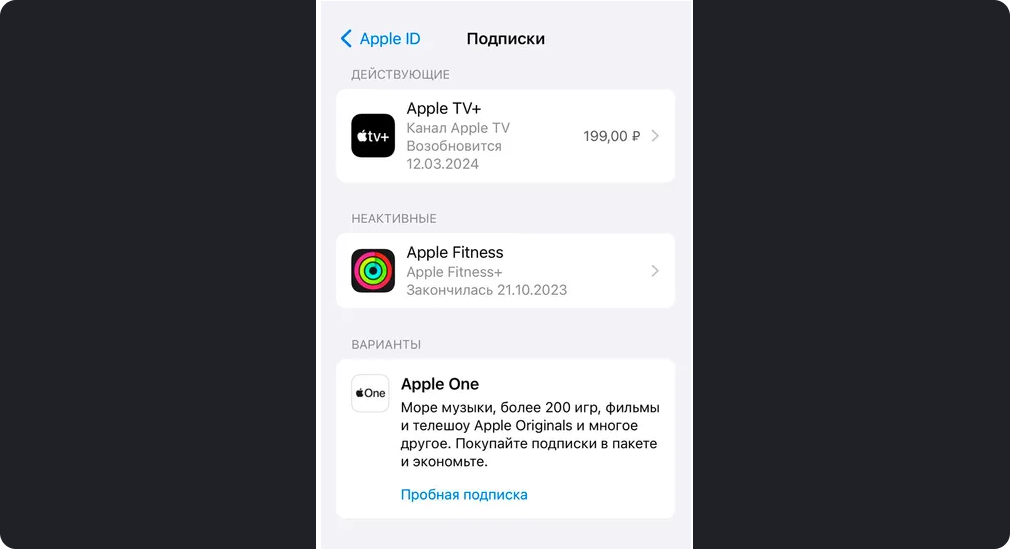
Cancel all active subscriptions:
- Open Settings → Tap your name at the top → Subscriptions.
- You'll see a list of active and expired subscriptions.
- Tap Cancel Subscription. If there's no "Cancel" button or a red expiration message, the subscription is already canceled.
Now proceed to change your region:
- Open Settings → Tap your name → Media & Purchases → View Account.
- You may need to enter your Apple ID password.
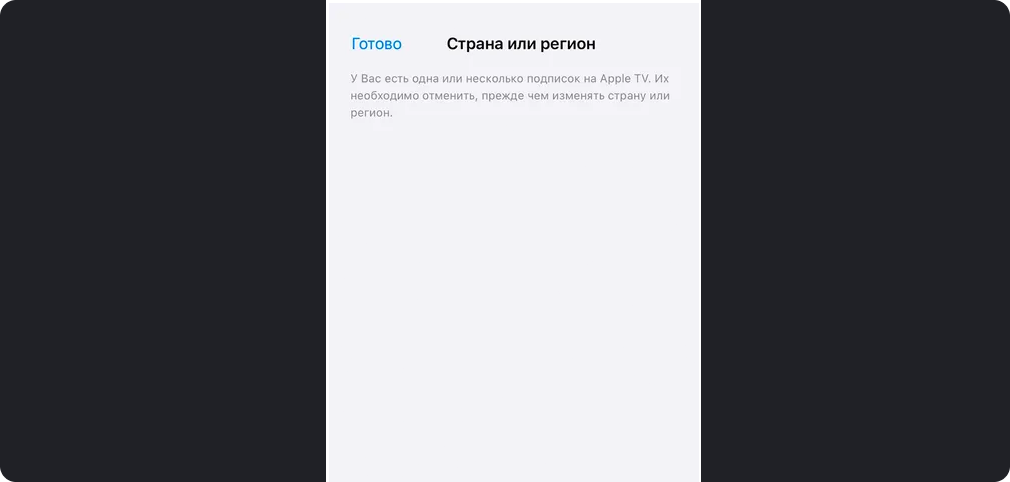
- Tap Country/Region. If active subscriptions remain, Apple will prompt you to cancel them first.
-
Tap Change Country or Region. Select a new country (e.g., USA or Canada). Note: Some Apple services may not work in certain regions.
-
Scroll through and accept the Terms & Conditions.
-
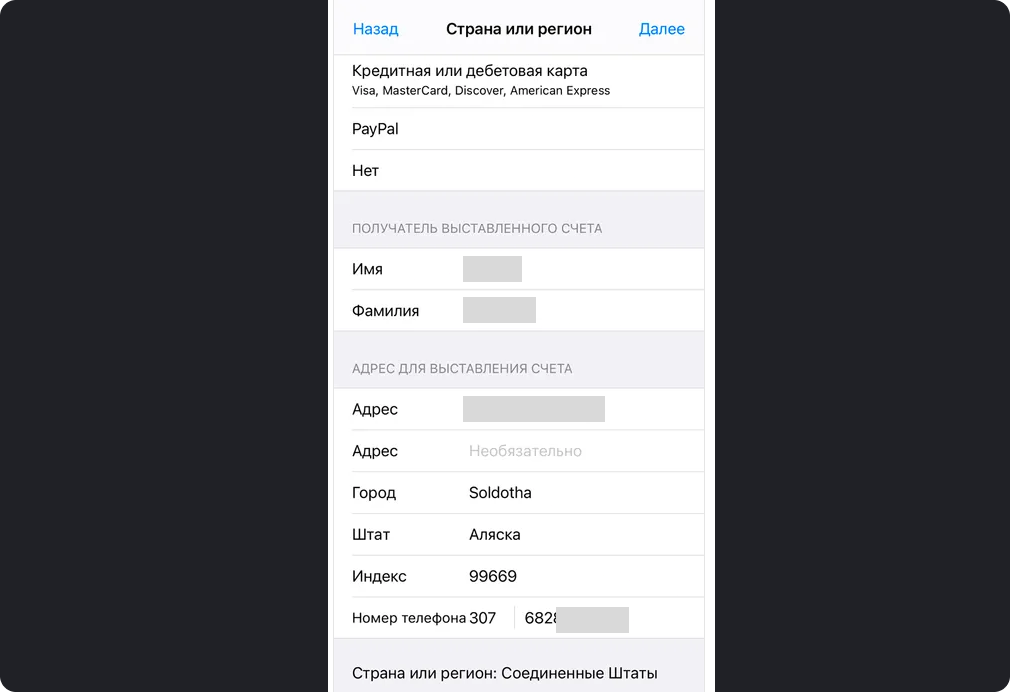
Select a payment method. If you don't plan to make purchases, choose None.
- The payment method's country must match your selected region (e.g., a Georgian bank card won't work for the USA region).
- If None isn't available, enter random card details.
-
Enter a billing address. Use an address generator if needed—Apple does not verify this. Tap Next.
Your account region will update. You may need to re-login to the AppStore and other services.
You can revert to the Russian region later if needed (e.g., after installing required apps).
How to Create a New Account?
Sometimes, creating a separate account is easier. Here's the simplest method:
Step 1
Register a new Apple ID:
- Go to Apple's website
- Enter your name, surname, and select your desired region.
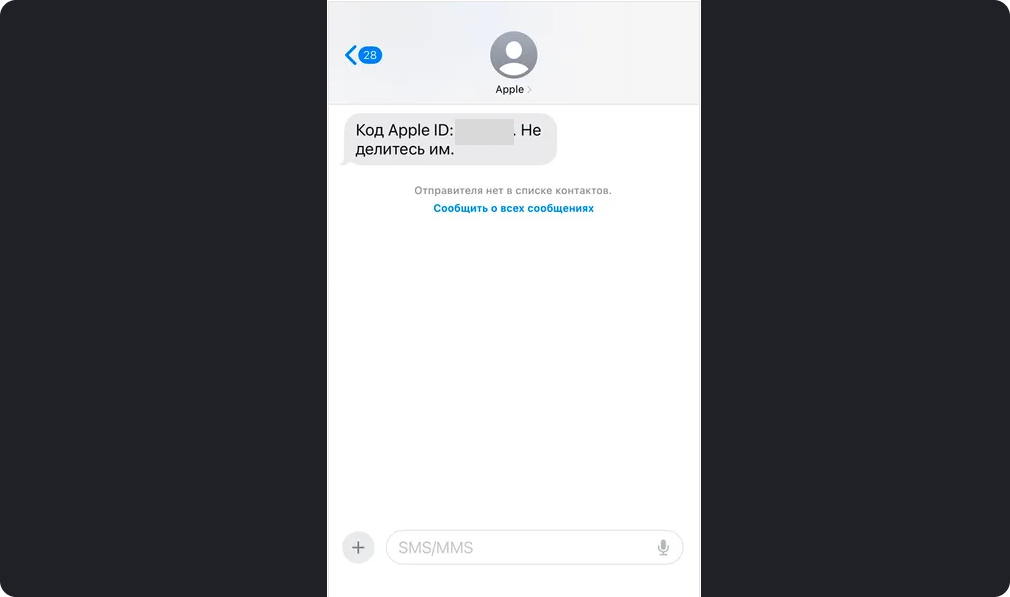
- Provide a valid email address (for verification codes).
- Enter a phone number (Russian numbers work even for non-Russian regions).
- Confirm the email and SMS codes.
Step 2
Sign in with the new account:
- Open Settings → Tap your name → Media & Purchases → Sign Out (this only affects the AppStore).
- Tap Media & Purchases again → Select Not [Your Name]? to log in with a different Apple ID.
- Enter the new account credentials.
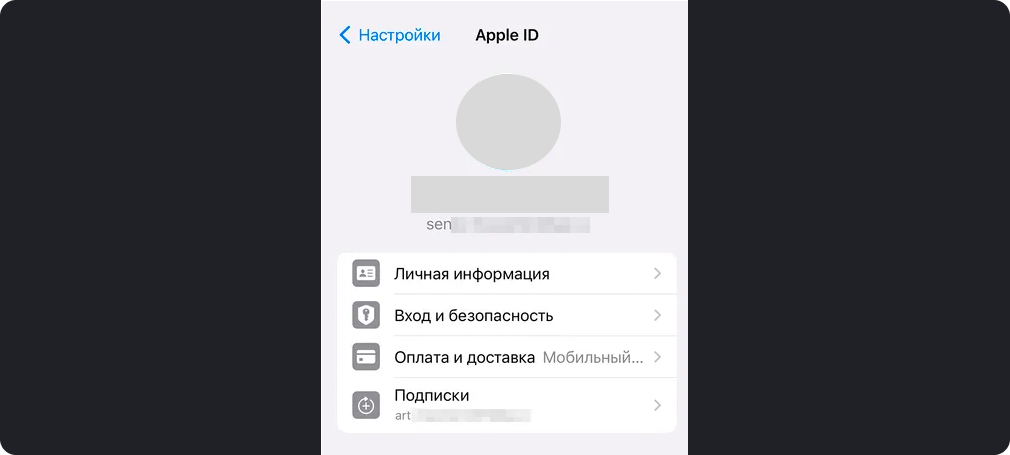
The screenshot shows a user logged into their iPhone with one Apple ID and the AppStore with another.
After signing in:
- Open the AppStore and accept the Terms & Conditions.
- Set up a billing address and payment method (as explained earlier).
Download AmneziaVPS from the AppStore
Once set up, search for and install AmneziaVPS. Enjoy secure browsing! 🛡️
Let me know if you need further tweaks! 😊